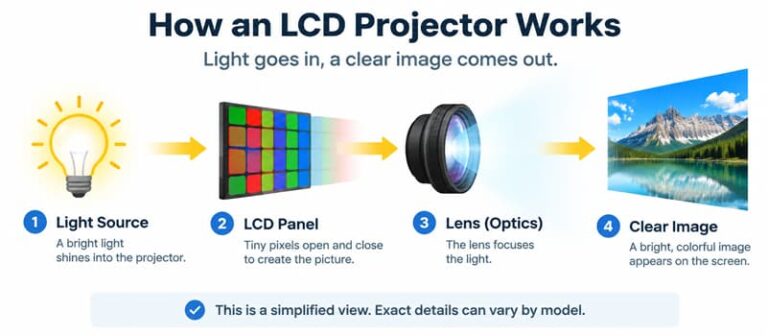
An LCD projector quotation can look complete while leaving the actual configuration unclear. “LCD,” “LED,” and “4K support” answer different questions. A brand owner needs enough detail to connect those labels to the specific sample being offered.
Before ordering, request three separate records: the imaging-panel configuration, the light source, and evidence of the optical architecture. Then agree on how the sample will be evaluated. This creates a usable purchasing specification instead of a list of marketing terms.
This guide focuses on documenting a proposed transmissive LCD projector configuration. It is a purchasing checklist, not a comparison test or a specification for a TOUMEI model.
Start With Three Separate Specification Fields
Use this response table when requesting documents. Every answer should identify the proposed model and configuration revision.
| Specification field | Supplier response required | Evidence to request |
|---|---|---|
| Imaging panels | Panel count, device identification, and physical pixel matrix per panel | Model-specific specification or controlled component/configuration document |
| Light source | Source type stated separately from the imaging device | Specification identifying the proposed light-source configuration |
| Optical architecture | Confirm transmissive operation and identify the image-forming path; clarify any conflicting reflective description | Model-specific optical description or diagram that the supplier is authorized to share |
Record the document title, revision, and relevant page beside each answer. If a supplier cannot disclose a component identifier, request a documented configuration identifier and clarify how substitutions will be reported.
A missing field is a request for clarification, not evidence that a configuration meets your requirement.
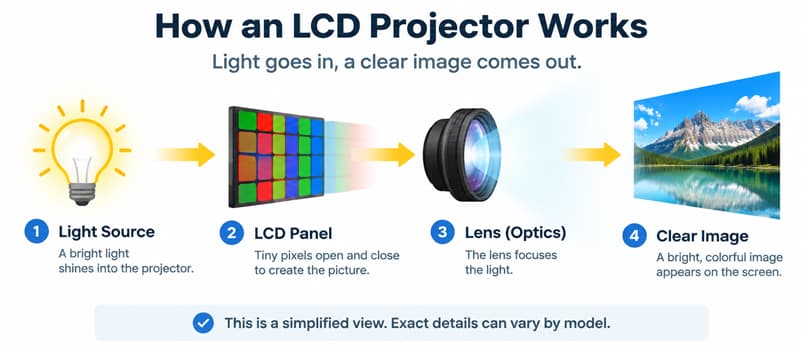
Figure 1. A simplified functional sequence separates illumination from image modulation. One representative transmissive panel is shown; color routing, polarization, cooling, and detailed optical geometry are omitted. Verify the offered model’s actual architecture.
Why “LCD” Does Not Complete the Specification
Epson describes its own 3LCD system as using separate red, green, and blue LCD panels. Its HTPS explanation identifies those panels as transmissive and describes electrical control of the light passing through their pixels. This documents a particular architecture; it does not identify every product sold under the broader LCD label. Epson Microdisplay Technology
Ask the supplier to document the offered unit rather than filling gaps from a familiar technology name. If your team needs the broader terminology first, read our guide to projector display technologies and light-source labels.
Panel count alone also does not establish the complete projector’s brightness, image quality, reliability, or suitability for your market. Those remain model-specific evaluation questions.
Keep the Light Source in Its Own Field
An imaging label and a light-source label can describe the same projector.
For example, the Philips NPX442/INT specification lists LCD under display technology and LED under light source. Epson’s EF12 manual separately identifies 3LCD technology and a laser light source. These are examples of how manufacturers separate the fields, rather than product recommendations or comparative test results. Philips NPX442/INT datasheet, p. 3, Epson EF12 features
Your purchasing record should do the same. Do not infer panel count from “LED projector,” or infer the light source from “LCD projector.”
Separate Physical Pixels From Accepted Input
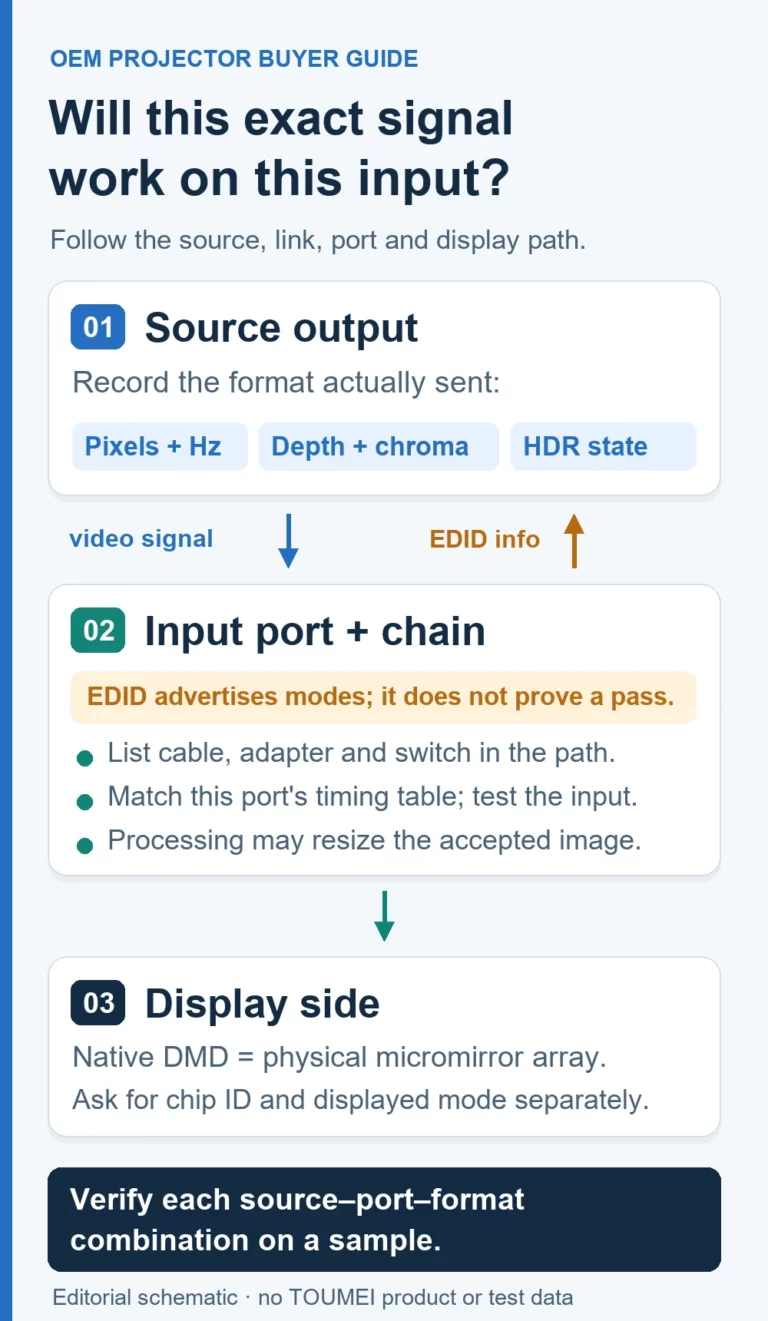
Ask for the physical pixel matrix of each imaging panel and a separate list of supported input timings. If a quotation says “4K,” request the exact meaning and supporting documentation.
An input signal accepted by the projector is a different specification from the physical panel matrix. Our guide to supported resolution and 4K input explains the purchasing distinction. The Philips datasheet also lists “Resolution” and “Resolution supported” separately; those entries do not document a TOUMEI model.
For sample evaluation, list the source devices, connection, signal resolution, and refresh rate you intend to use. Record what the sample accepts and displays without turning an input-compatibility check into a claim about its panel construction.
Close LCD Configuration Evidence Gaps Before Ordering
Compare the quotation with the three configuration records. The panel count and physical matrix, the separately identified light source, and the optical description should refer to the same offered model and revision. If one document describes a different configuration, request a reconciled response before treating the sample as representative.
Keep a response record with the document title, revision, relevant page, supplier clarification, and unresolved item. For a confidential component, distinguish a controlled configuration identifier from an independently verified component identity. Do not mark the latter as verified when it has not been disclosed.
A projected photograph cannot establish panel identity or light-source construction by itself. Use documents for configuration evidence and the sample session for observable behavior. For the broader checks of image quality, connections, software, packaging, and production-reference approval, use our projector sample testing checklist for private-label brands.
Decide Whether the Configuration Record Is Complete
Use three outcomes for this document review:
- Documented: the three fields identify the same proposed configuration and the supporting records are retained. This is not a performance-test pass.
- Clarification required: a field, revision, or sample identity remains unresolved.
- Evidence unavailable: the supplier cannot provide the requested support; record the limitation and decide whether it is acceptable for your project.
Keep the configuration record with the sample identifiers. Agree how changes to that configuration will be communicated before proceeding to production approval.
Frequently Asked Questions
1. Does the label “LCD projector” establish that a unit has three panels?
No. Request the panel count for the proposed model. Epson’s description of its own three-panel system should not fill gaps in another supplier’s specification.
2. Can an LCD projector use an LED light source?
Yes. Philips lists LCD display technology and an LED light source separately for NPX442/INT. Verify both fields for the unit you are considering.
3. What should replace a vague “4K LCD” claim?
Request the physical pixel matrix per panel, supported input timings, and an explanation of any additional image-generation method claimed. Keep those specifications separate.
4. Can sample photos prove the optical architecture?
No. Photos can document visible image behavior under recorded conditions. Request model-specific documents to establish panel configuration and the optical path.
5. What if the supplier cannot share an internal diagram?
Ask what controlled specification or written configuration statement can be provided instead. Record the remaining uncertainty before approving the sample.
6. What should an OEM buyer send with a sample inquiry?
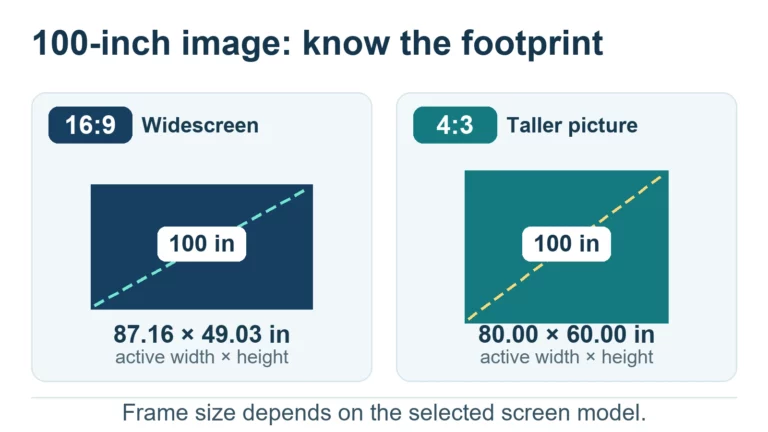
Send the target market, intended use, required image size, input devices, and evaluation priorities. Request the exact offered configuration and a written sample plan.
Request a Configuration-Based Sample Discussion
Preparing a private-label projector project? Use our OEM/ODM projector inquiry page to describe your requirements. Ask which configuration, if any, is available for your project and what documentation and sample evaluation steps can be agreed before ordering.
References
All sources accessed October 27, 2026.
- Epson, Microdisplay Technology. Web version and publication date not stated. Supports Epson’s three-panel and transmissive HTPS explanation; does not establish another manufacturer’s configuration.
- Philips, NPX442/INT datasheet. Version 1.0.1, issue date October 27, 2023, p. 3. Supports the separate LCD display, LED source, resolution, and supported-resolution fields for that model. It is not a current availability statement or an independent performance test.
- Epson, EF12 Projector Features. Online user-guide page; version and publication date not stated. Supports the model-specific 3LCD and laser labels only.